


MyCapitol Rewards (MCR) Web App Guide
Whether you’re new to MyCapitol Rewards or simply need a quick refresher, these step-by-step guides will help you navigate the MCR Web App with ease. Select a guide below to jump directly to the section you need.
👤
🎁
🎂
🎟️
⭐
Sign Up
How to create your MyCapitol Rewards membership account.
View Rewards
How to see all your available rewards and benefits.
Birthday Benefits
How to redeem your birthday privileges during your birthday month.
Redeem Vouchers
How to find and use your vouchers on the MCR Web App.
Check Points
How to view your current MyCapitol Rewards points balance.
How to Sign Up as a MyCapitol Rewards (MCR) Member
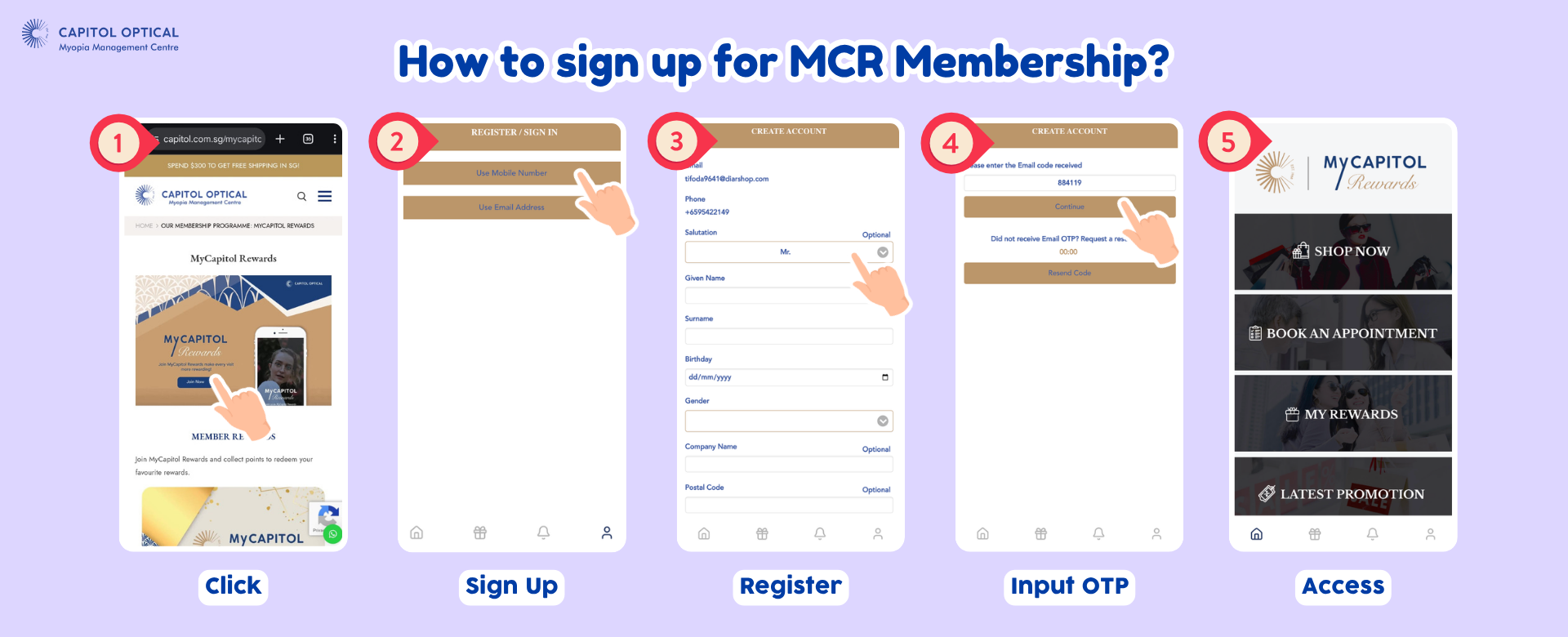
💡 Tip: Click the image above to open it in full size, where you can zoom in for a closer look.
How to View My Rewards on the MCR Web App
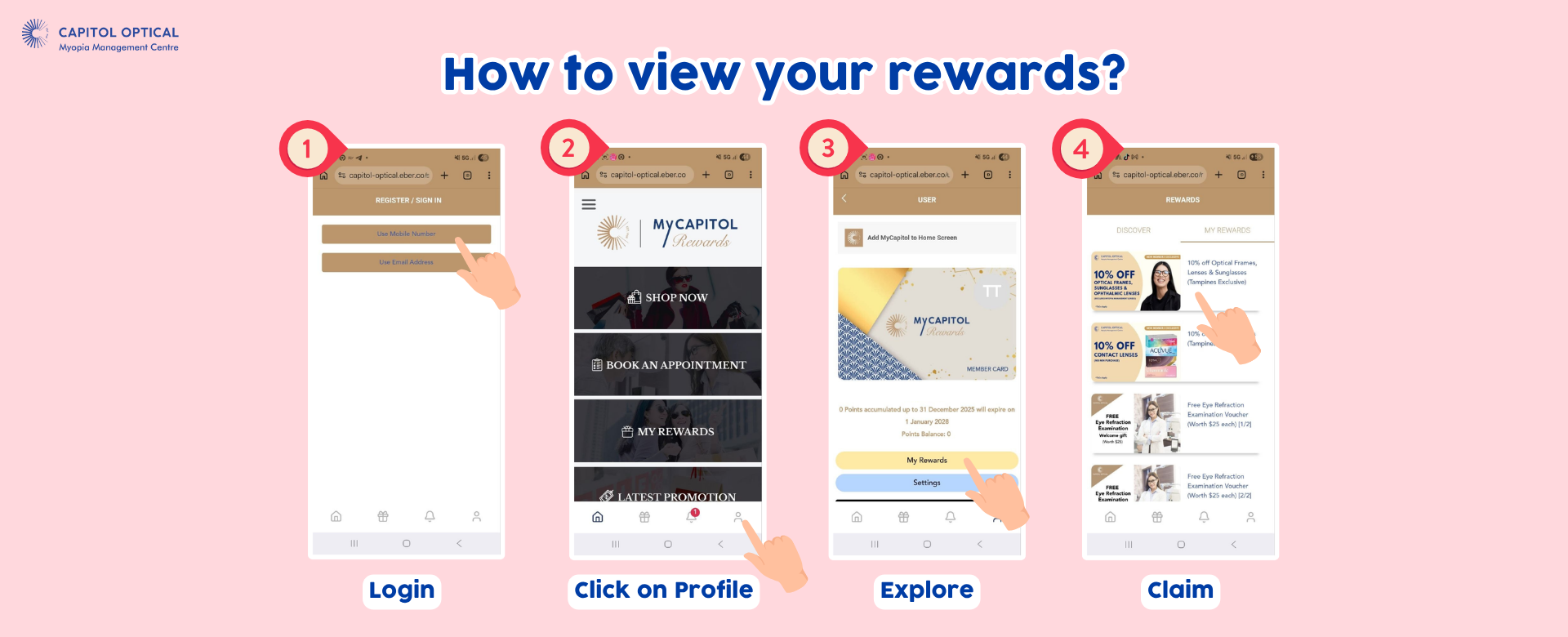
💡 Tip: Click the image above to open it in full size, where you can zoom in for a closer look.
How to Redeem Your Birthday Benefits During Your Birthday Month
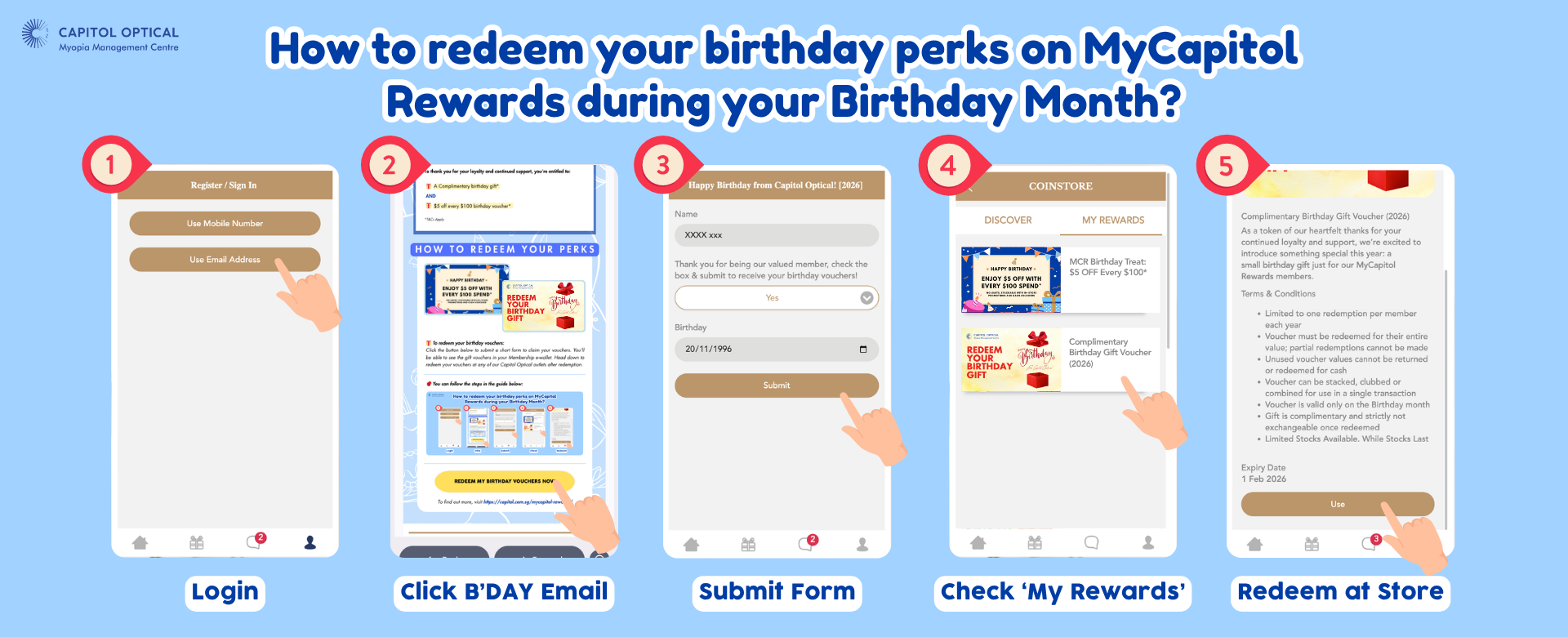
💡 Tip: Click the image above to open it in full size, where you can zoom in for a closer look.
Where to Access and Redeem Vouchers on the MCR Web App
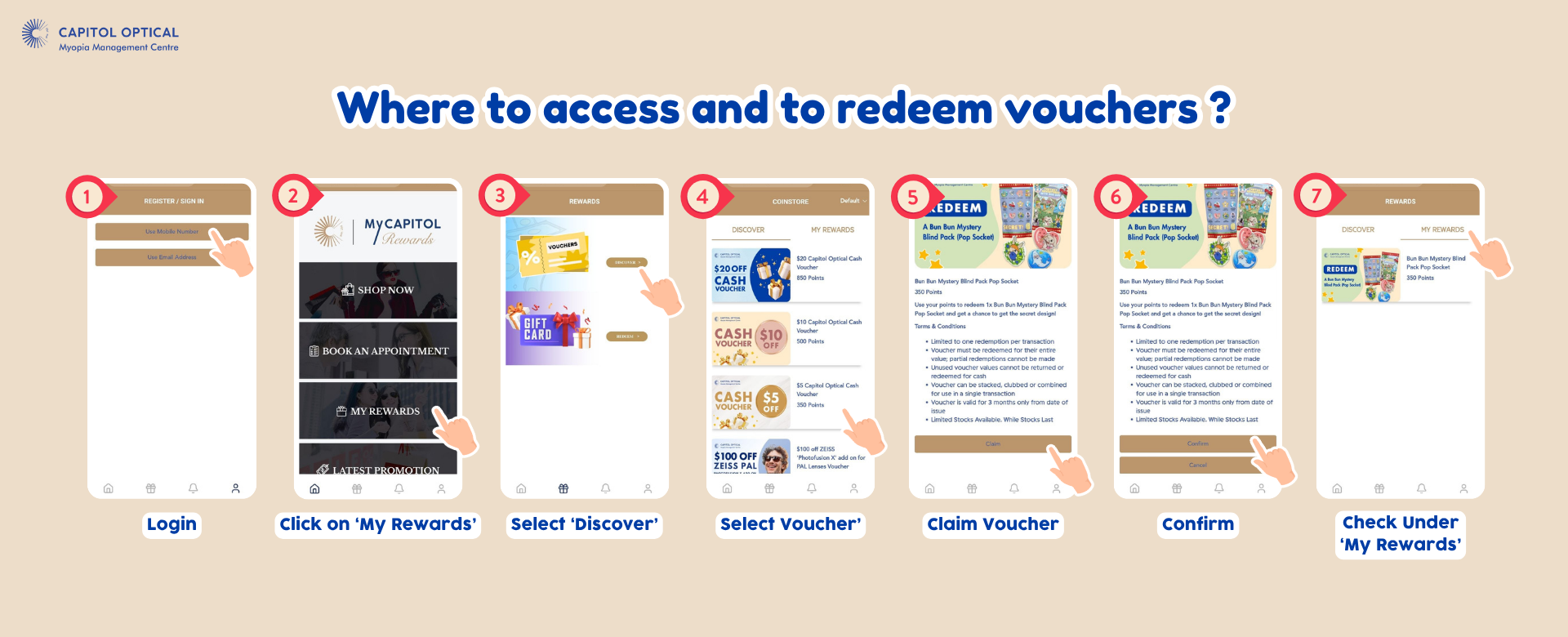
💡 Tip: Click the image above to open it in full size, where you can zoom in for a closer look.
How to Check My Points in MyCapitol Rewards
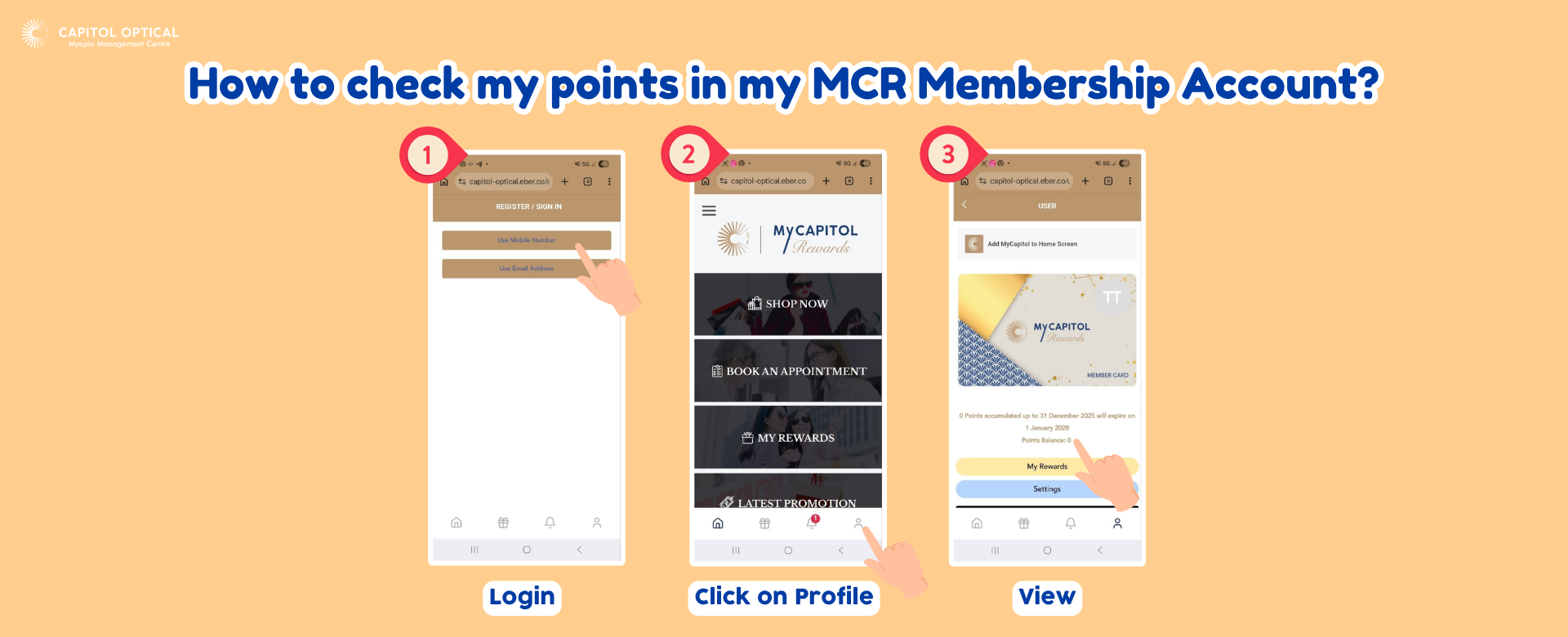
💡 Tip: Click the image above to open it in full size, where you can zoom in for a closer look.
Ready to Get Started?
Access the MyCapitol Rewards Web App to log in or create your Membership and start enjoying exclusive rewards and benefits!
Access MyCapitol Rewards